



想将 Metabase 仪表板添加到 Notion 吗?如果你的团队使用 Notion 来组织工作,嵌入 Metabase 可以将你的数据融入日常工作流程。以下是如何使用 CodePen 实现的方法。
为什么要将 Metabase 嵌入 Notion?
作为一家 SaaS 公司的一员,我知道我们的数据有多重要——尤其是理解用户行为。我们依靠数据来改进产品、确定功能优先级和完善设计。
为了让我们的决策更具数据驱动性,我想将 Metabase 仪表板集成到我们日常使用的项目管理工具中。由于我们的团队几乎所有事情都使用 Notion——从会议记录到设计草稿——我找到了一个方法,可以使用 CodePen 将 Metabase 图表直接嵌入 Notion。
如果你是 Metabase 的新手,请查看我们的入门指南以设置你的第一个仪表板。
使用 CodePen 将 Metabase 嵌入 Notion 的 3 个步骤
步骤 1. 在 Metabase 中复制 iframe 代码
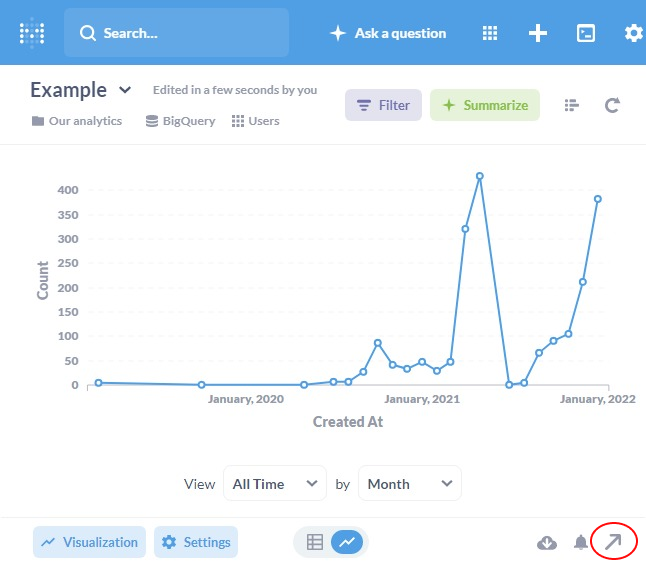
转到你想要嵌入 Notion 的 Metabase 问题,然后点击右下角的分享图标。
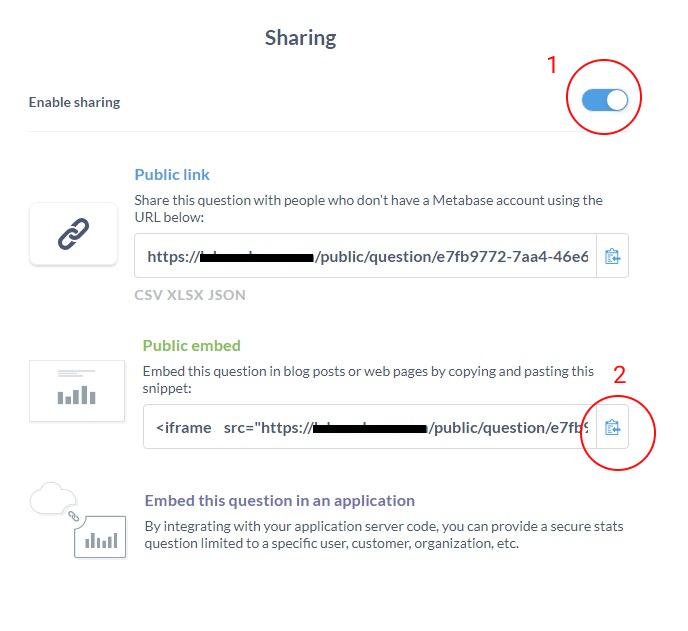
然后启用分享你的问题,并复制 iframe 代码。
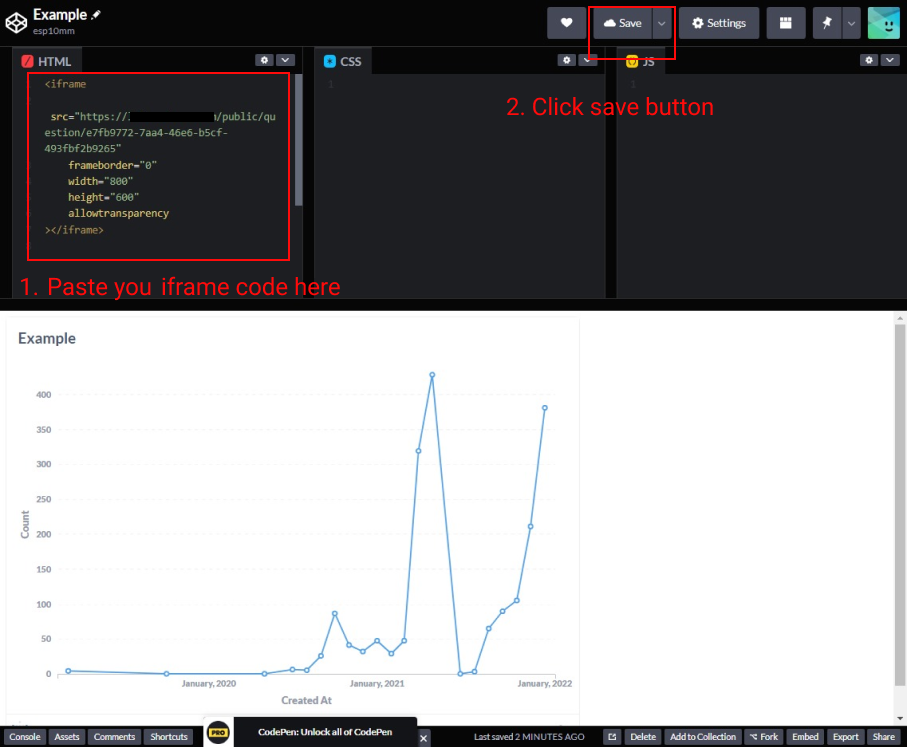
步骤 2. 将你的 iframe 代码粘贴到 CodePen 中
你需要使用 CodePen 的原因是 Notion 不支持 Metabase 的原生 iframe 代码,但它支持 CodePen。
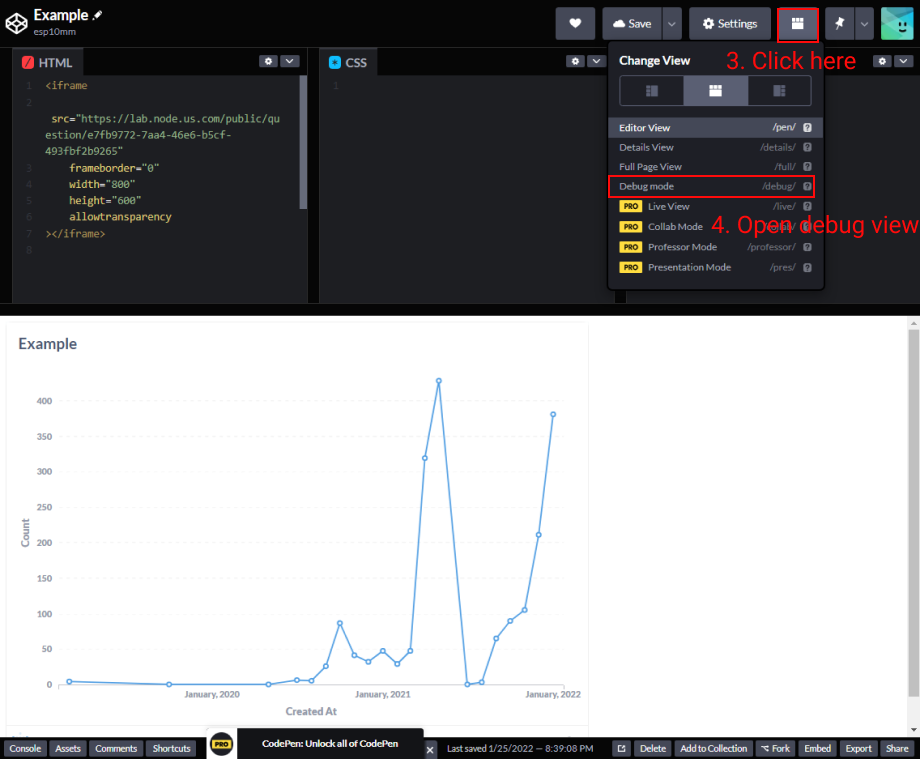
点击“Debug Mode”后,你的浏览器将打开一个新标签页。复制该标签页的 URL。
步骤 3. 将 CodePen URL 粘贴到你的 Notion 页面
打开你的 Notion 页面,输入 “/codepen” 以创建 CodePen 块。
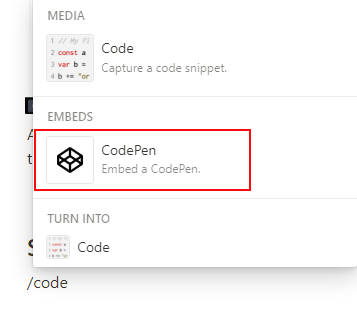
将上一步复制的 URL 粘贴到 CodePen 块中,然后点击“Embed link”。

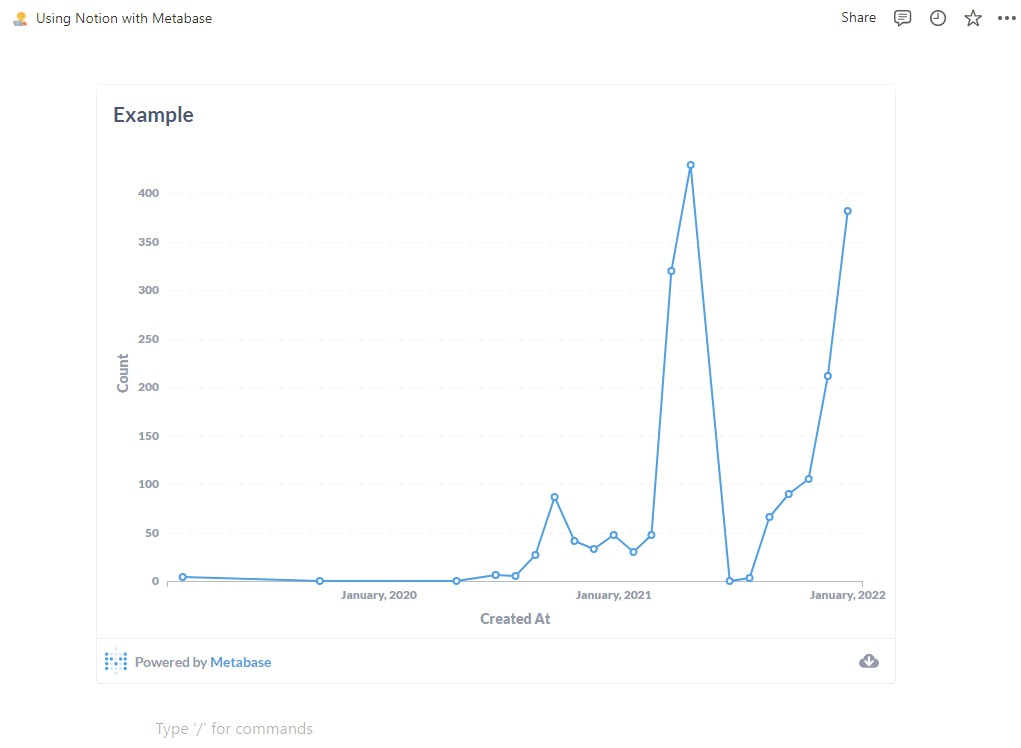
现在你可以在 Notion 中直接看到你的交互式 Metabase 图表了!
重要提示
请注意,这不是 Metabase 的官方指南。
遵循这些步骤将使你的仪表板公开。了解更多关于Metabase 安全设置的信息。